
MoshUp
PyteBytePhotography
4.0337.00 Reviews
- Version
- 1.045
- Installs
- 50.00K
- Age Rating
- Everyone
Screenshots
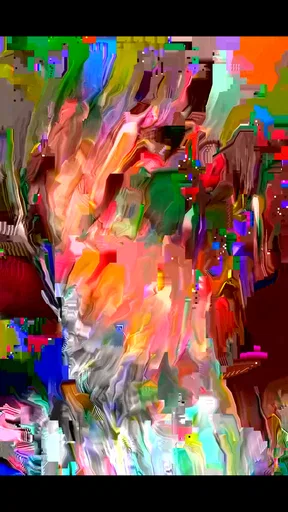
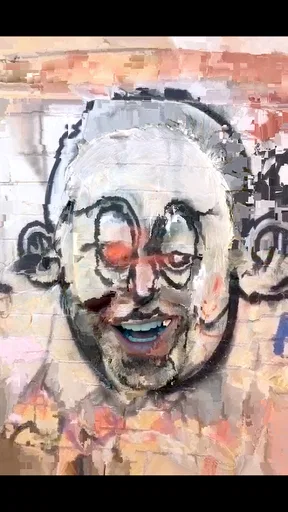
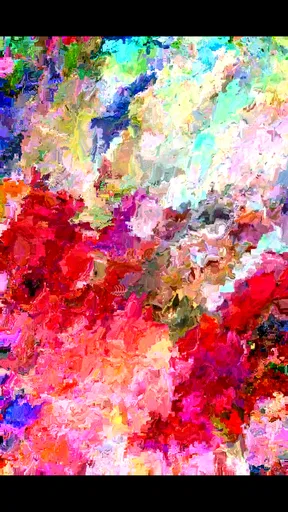
Our Review of MoshUp
 Analysis by Appyee
I find MoshUp most appealing when I think of it as a live visual instrument rather than a miniature editing studio. Its focus is datamoshing: turning moving images into deliberate digital distortion, with the option to work as you record or start from footage you already have. That narrow purpose is also its main trade-off. If you want a quick way to make a clip feel strange, expressive, or dreamlike, it has a clear point of view; if you need polished cuts, titles, sound mixing, and a finished social video in one place, I would reach for a broader editor instead.
That distinction matters before you pay. MoshUp is a photography app by PyteByte, costs $3.99, and is rated Everyone. It has a 4.0 average from around 1.7 thousand ratings, with over 50 thousand installs. Those figures suggest a focused creative audience rather than a universal editing tool, which fits my impression: the appeal is strongest if you already like glitch art or want to try a distinctive visual style, not if you simply need routine trimming.
What “live” means for the way I shoot
The live approach changes how I plan a clip. Instead of filming a whole scene and deciding on an effect later, I can watch the image transform while recording and adjust my subject or movement in response. I get more out of that when the scene has a strong outline, a clear color contrast, or a repeated motion. A person turning their head, a hand moving across a bright background, or traffic passing through a frame gives the distortion something recognizable to pull apart.
For a useful first experiment, I would keep a recording short and change only one thing at a time: subject movement, camera movement, or framing. That makes it easier to tell what produced an interesting result. If I swing the phone, move the subject, and change the composition all at once, an effect can become visual noise rather than a deliberate choice. The app invites improvisation, but a little restraint makes the output feel more composed.
When it fits better than a general editor
Most video apps are built around arranging clips, adding audio, and preparing a conventional sequence. MoshUp is more specialized: its creative payoff comes from the datamoshing look, not from offering every step of a typical edit. I would use it to make a short visual insert, an abstract loop, or a striking clip for a post, then take that result into another editor if the project needs captions, precise trimming, a soundtrack, or several scenes in a specific order.
That two-app workflow is not a flaw if the effect is the reason you are creating the video. It can actually keep the process simpler: make the unusual image here, then do the practical finishing elsewhere. But if your usual routine is to film once and handle everything from cleanup to sound in one timeline, switching between apps adds friction. In that case, a conventional editor with built-in filters may be the more comfortable choice, even if its glitch effect is less central to the experience.
A practical everyday test
Imagine I have a few minutes after work and want a short clip that does not look like another ordinary phone video. I could film a friend walking past a window, try a small change in pace or framing, and watch how the live distortion responds. If the first take feels too chaotic, I can simplify the shot rather than trying to rescue it with a long edit. That quick, experimental loop is where MoshUp makes sense: it rewards trying a visual idea, reviewing the result, and making a more intentional second attempt.
I would also think about where the clip will be viewed. A busy effect can look exciting on a phone screen but become hard to read when the subject is small or the background is crowded. Before sharing, I would check the whole clip at its intended viewing size and ask whether the person or object still comes through. A recognizable shape gives the distortion a useful anchor; without one, the result may be interesting for a moment but tiring to watch.
Performance expectations and device fit
Because the effect is applied live, I would judge responsiveness while previewing and recording rather than assume that every phone will feel identical. Camera processing, scene complexity, and the device itself can all affect how comfortable real-time work feels. I cannot treat the app as a dependable choice for a time-sensitive shoot without testing it on the phone I plan to use. For a casual experiment, a little trial and error is part of the appeal; for a planned event, I would make a short test clip first and keep a conventional recording option ready.
Long sessions are a different proposition from a handful of short takes. Live image processing can make a phone work harder than simply browsing footage, so I would avoid assuming that an older or already busy device will remain equally responsive through extended use. The practical habit is to start with a brief test, close other demanding tasks if the phone feels strained, and review the saved result before recording more. That is not a promise that any particular device will run perfectly; it is a sensible way to discover your own limits without losing a planned moment.
For compatibility, the Android release requires version 6.0 or later, and the current version is 1.045. That gives many Android users a straightforward starting point, but an operating-system requirement cannot tell you how smooth live effects will feel on a particular handset. I would treat the first session as a check of both the interface and the phone’s response, especially if I intend to record several clips in a row. If reliability matters more than experimentation, using a simpler camera app for the original footage and applying effects later in a familiar editor may be the safer workflow.
Unleashing Your Inner Artist
MoshUp is designed for those who want to dabble in the digital art scene without needing a degree in visual effects. As soon as you open the app, you’ll notice its straightforward, no-frills interface. It’s all about getting you right into the action, no tutorials needed. One of the first things I did was shoot a quick video of my dog, and within seconds, I was creating mesmerizing glitch effects. The app allows you to capture new videos or import existing ones, which is a nice touch if you’ve already got footage ready to roll.
Getting to Know the Features
Now, let’s talk features. MoshUp offers a variety of glitch effects that are both captivating and easy to apply. You can manipulate the visuals in real-time, which means you see the effects happening live as you record. It’s a bit like having a digital kaleidoscope in your pocket. The app brings out your creative side by letting you layer different effects together, producing results that can be as subtle or as wild as you want.
One of my favorite features is the "datamoshing" technique that MoshUp employs. This is where the magic really happens. By using compression artifacts, it creates a unique distortion effect that’s become quite popular in the digital art world. It’s like watching reality bend and break on screen, and it never gets old.
Why You’ll Love It
For those who love sharing their creations, MoshUp makes it super easy to upload your videos to social media platforms. I shared a few of my creations on Instagram, and the reactions were overwhelmingly positive. People are genuinely fascinated by these glitchy distortions, and it sparked a lot of conversations.
The app’s simplicity is one of its biggest strengths. Unlike other video editing apps that bombard you with buttons and options, MoshUp keeps it minimal. This allows you to focus on the creative process rather than getting bogged down with technicalities. It’s perfect for both beginners and seasoned artists looking for a fresh tool to add to their arsenal.
Room for Improvement?
Of course, no app is perfect. While MoshUp is a powerful tool, it may feel a bit limited for those looking for a full-fledged video editing suite. It’s not designed for cutting and splicing clips or adding audio tracks. Think of it more as a specialized tool for creating unique effects rather than a comprehensive editing platform.
Another thing to note is that while the app does offer a range of effects, those looking for a wide variety of options might find it a bit restrictive. However, the quality of the effects it does offer is top-notch.
Final Thoughts
Overall, MoshUp is a delightful app that offers a fun and easy way to experiment with video art. Whether you’re looking to impress your friends with some cool social media posts or want to explore the world of digital art, this app is an excellent starting point. With its intuitive interface and powerful effects, MoshUp opens up a world of creative possibilities at your fingertips. So go ahead, give it a try, and let your imagination run wild!
Verdict
Strengths of MoshUp
- User-friendly interface for beginners.
- Real-time preview of effects.
- No watermark on exported videos.
- Wide range of distortion effects.
- Supports high-resolution video exports.
Limitations of MoshUp
- Limited editing features beyond effects.
- Occasional app crashes reported.
- Lacks direct social media sharing.
- No tutorial for first-time users.
- In-app purchases can be pricey.
Similar Picks in This Category
View All
Google Photos
Google LLC4.4

Gallery
Google LLC4.2

Picsart AI Photo Editor, Video
PicsArt, Inc.3.9

B612 AI Photo&Video Editor
SNOW Corporation4.1

BeautyPlus-Selfie Photo Editor
PIXOCIAL TECHNOLOGY (SINGAPORE) PTE. LTD.4.5

Remini - AI Photo Enhancer
Bending Spoons4.1
Frequently Asked Questions
What is MoshUp and how does it work?
MoshUp is an innovative video editing app that allows users to create unique, morphing video effects by blending and distorting multiple video clips. It uses real-time video processing techniques to generate seamless transitions and creative video art. Users can import videos, apply filters, and use the app’s intuitive interface to explore their creativity.
Is MoshUp easy to use for beginners?
Yes, MoshUp is designed with a user-friendly interface that makes it accessible for beginners. The app provides straightforward navigation and simple tools that help users create stunning video effects without requiring advanced editing skills. Even those new to video editing can experiment and produce impressive results with ease.
What features does MoshUp offer to enhance video editing?
MoshUp offers a variety of features to enhance the video editing experience, including real-time video processing, multiple blending modes, and a range of filters and effects. Users can manipulate video clips by stretching, twisting, and blending them together to create surreal visual effects. The app also supports high-resolution video exports to maintain quality.
Are there any in-app purchases or ads in MoshUp?
MoshUp is a free app to download, but it may include optional in-app purchases that unlock additional features or remove ads. While the free version provides a robust set of tools, users seeking an enhanced experience or additional functionalities might consider the premium options available within the app.
Does MoshUp require an internet connection to function?
No, MoshUp does not require an internet connection for its core functionalities. The app is designed to perform video processing and editing offline, allowing users to work on their projects anywhere. However, an internet connection might be necessary for downloading updates or accessing certain online features.
